{Community: 2 talks · 1 survey · 1 series}
Talks
Things I did inside the company on top of project work: talks at Frontend Day, a recurring survey and a weekly JavaScript series. All of it was my own initiative, to get frontend developers talking, comparing habits and learning from each other.
{Talk: 01}
Advanced WordPress
“Has anyone here ever built a project in WordPress?”
A talk for frontend developers on why WordPress is a solid base for real projects. After a short look at what it is and how much of the web runs on it, I built a small car dealership listing live, using custom post types, ACF, templates and shortcodes.
- 63.3%
- of the CMS market. The next ones are far behind: Shopify 6%, Joomla 3%.
- ~45%
- of all websites run on WordPress.
Figures quoted in the talk · searchlogistics.com ↗
- {Event}
- Frontend Day
- {Date}
- [DATE]
- {Audience}
- [e.g. 30 developers]
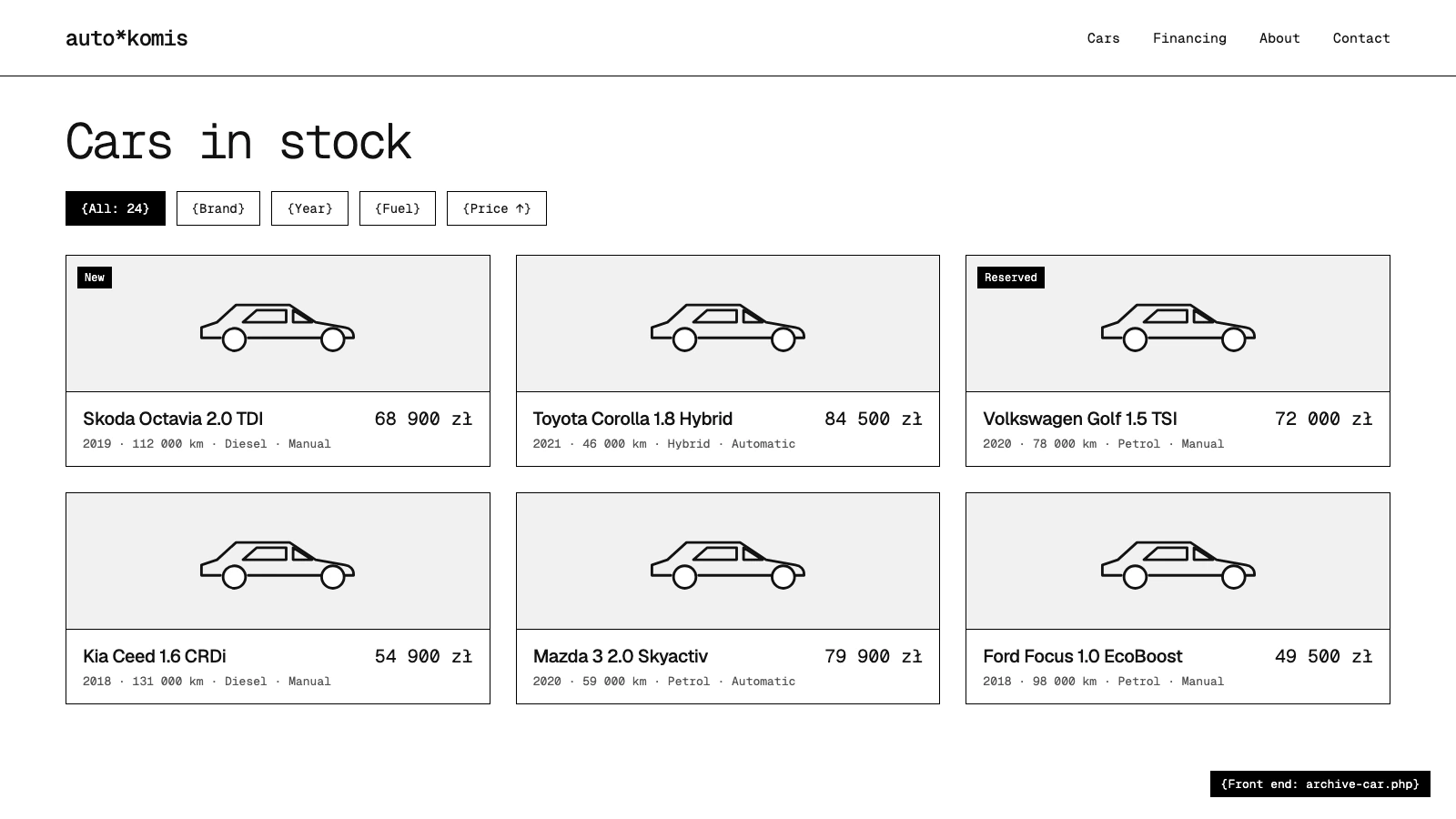
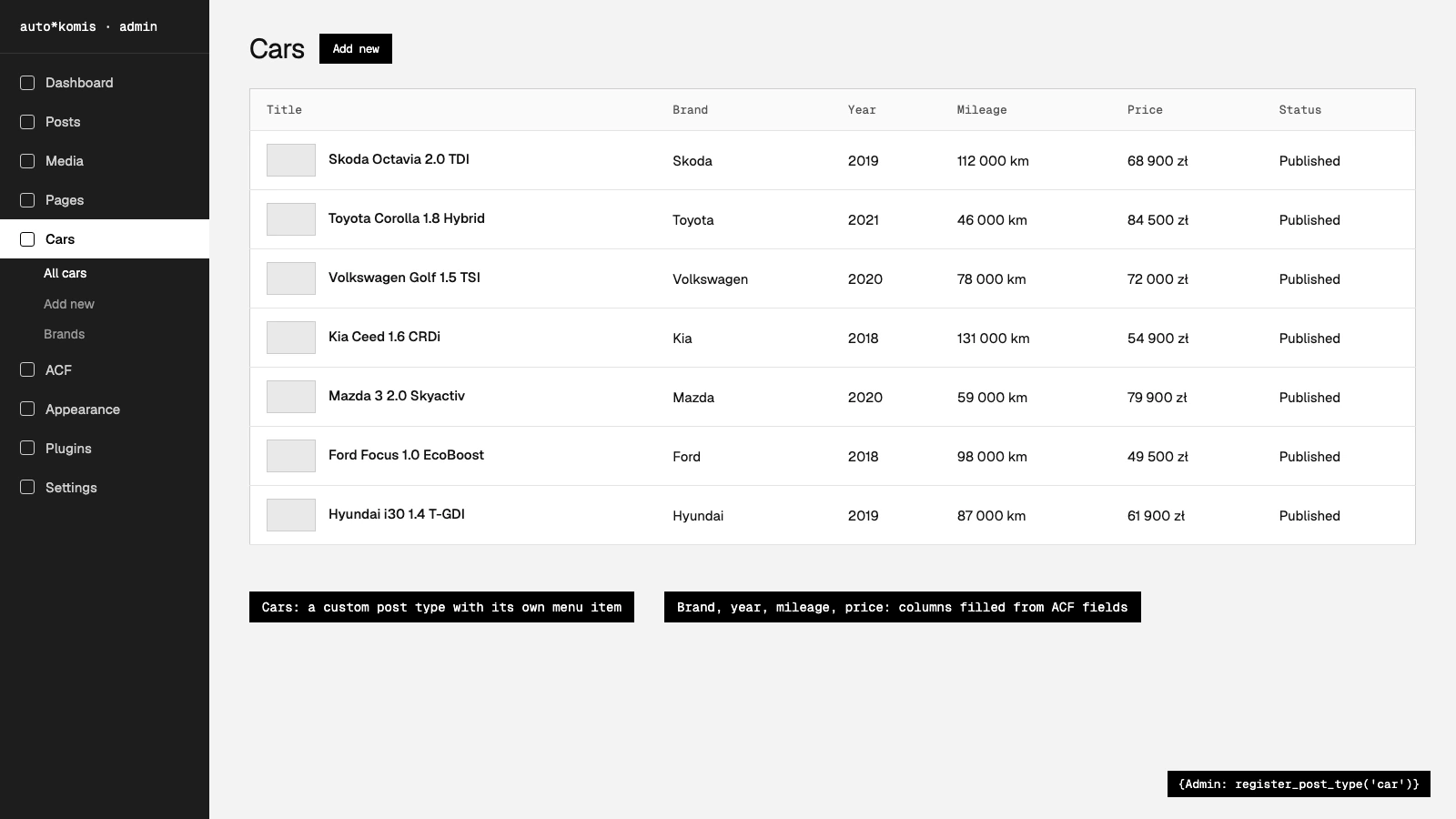
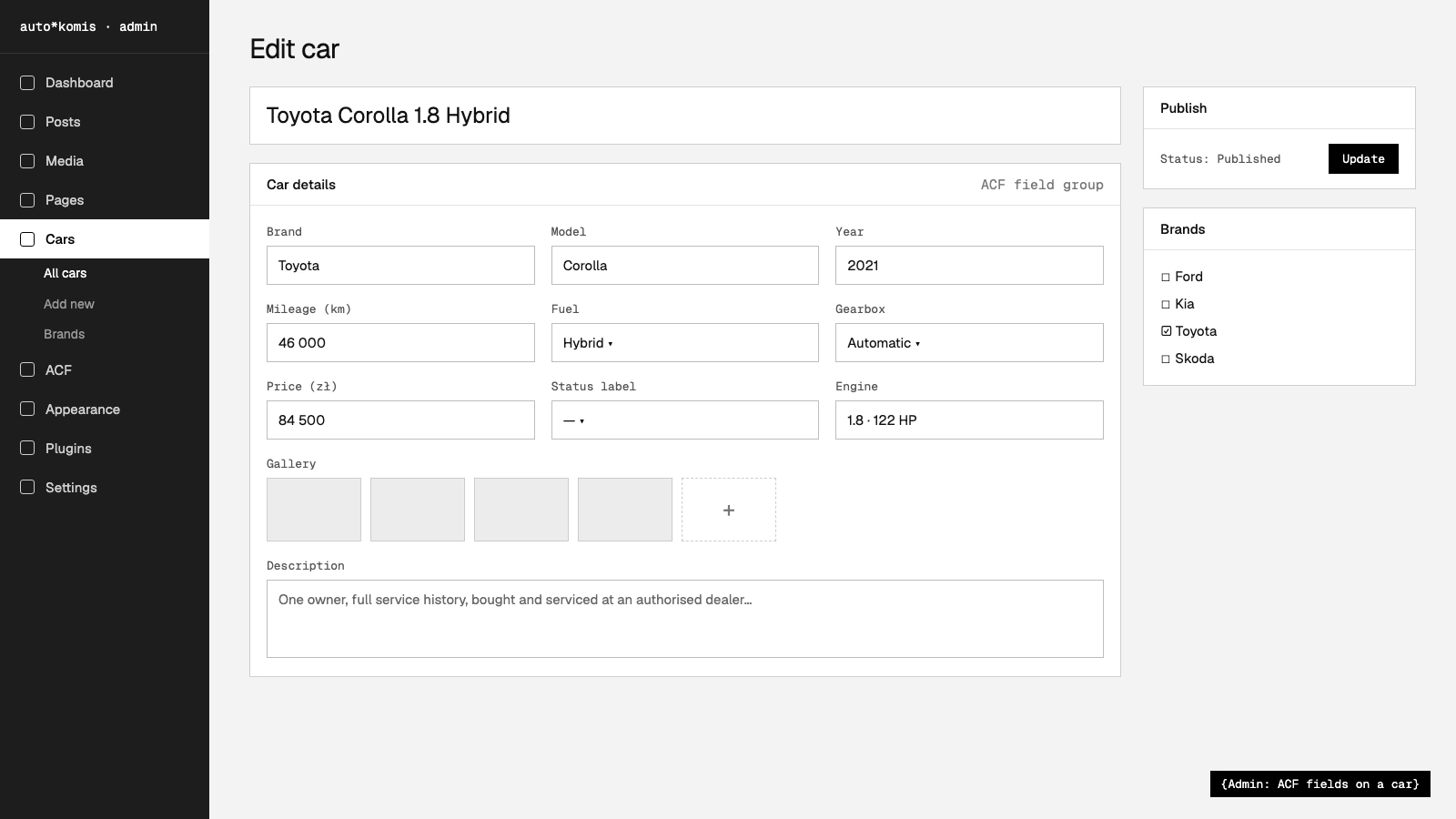
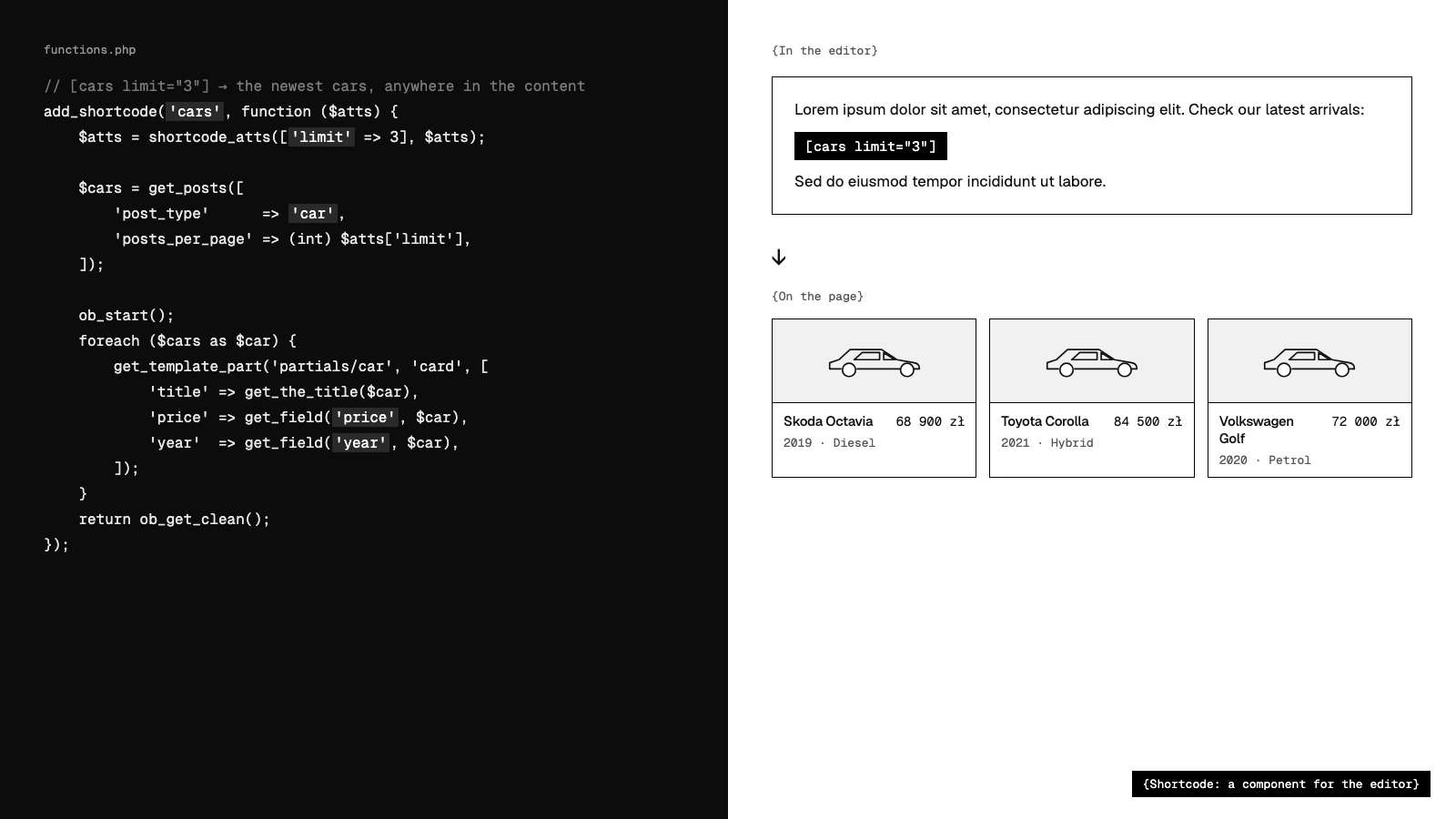
{Mockups of the demo project, recreated for this page}
{The main point}
Custom post types and ACF give you a lot in very little time.
Build the same listing in something like Next.js from scratch and you start with nothing: no database, no admin panel, no content model. In WordPress that base is already there, so the time goes into the project itself.
{Next.js from scratch}
- 01Choose and set up a database
- 02Design the data model and an API
- 03Build an admin panel with forms
- 04Add login, roles and media uploads
- 05Only then start on the listing
{WordPress + CPT + ACF}
- 01Register the post type: Cars
- 02Add the fields in ACF
- 03Write the template
- 04Database, panel, users and media are already there
{What WordPress can do}
Rich editor
A mature editor that works for the client who edits the content and for the developer who shapes it to the project.
Editable on every level
Everything WordPress gives you can be adapted: the front end the visitor sees and the admin panel the client works in.
Custom post types
Content that is not a post but behaves like one. The quickest way to model cars, offers or anything else.
ACF
Advanced Custom Fields adds structured fields to any content. Together with custom post types it carries an advanced project.
Templates
Page templates decide how each kind of page is rendered.
Shortcodes
Reusable pieces you drop into content. Close to a component in React or Angular, written in PHP.
{Demo}
Live demo: a car dealership
A simple listing of cars, each with its own properties. In many modern stacks this takes a lot of time to build. In WordPress it comes together quickly, and the client can edit all of it.
- 01Project and folder structure
- 02A tour of the WordPress panel
- 03Static view of the cars
- 04Pages
- 05Custom post type: Cars
- 06ACF fields for a car
- 07The editor
- 08A shortcode
- 09Routing
{Takeaways}
A lot is built in
The editor, the admin panel and ready solutions in code are there from the start.
Easy to extend
When a plain post is not enough, the content, its properties and the admin panel itself can be extended in a short time.
{Talk: 02}
Google Play vs App Store
“Why do we need native apps at all?”
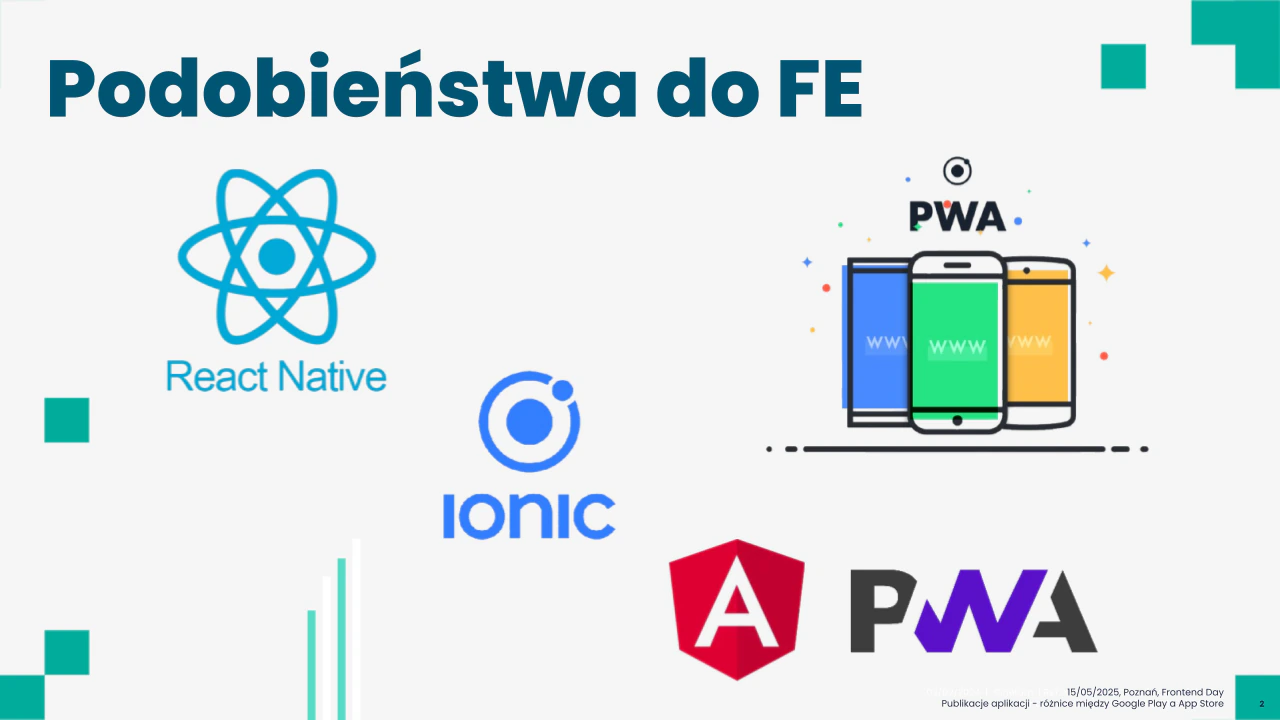
Publishing a mobile app, told from a frontend point of view. React Native, Ionic and PWAs feel close to everyday frontend work, but shipping is different: a website goes live when you deploy it, and an app has to get through a store first. I compared a PWA with a native app, then walked through both stores step by step.
- {Event}
- Frontend Day · Poznań
- {Date}
- 15 May 2025
- {Audience}
- [e.g. 30 developers]


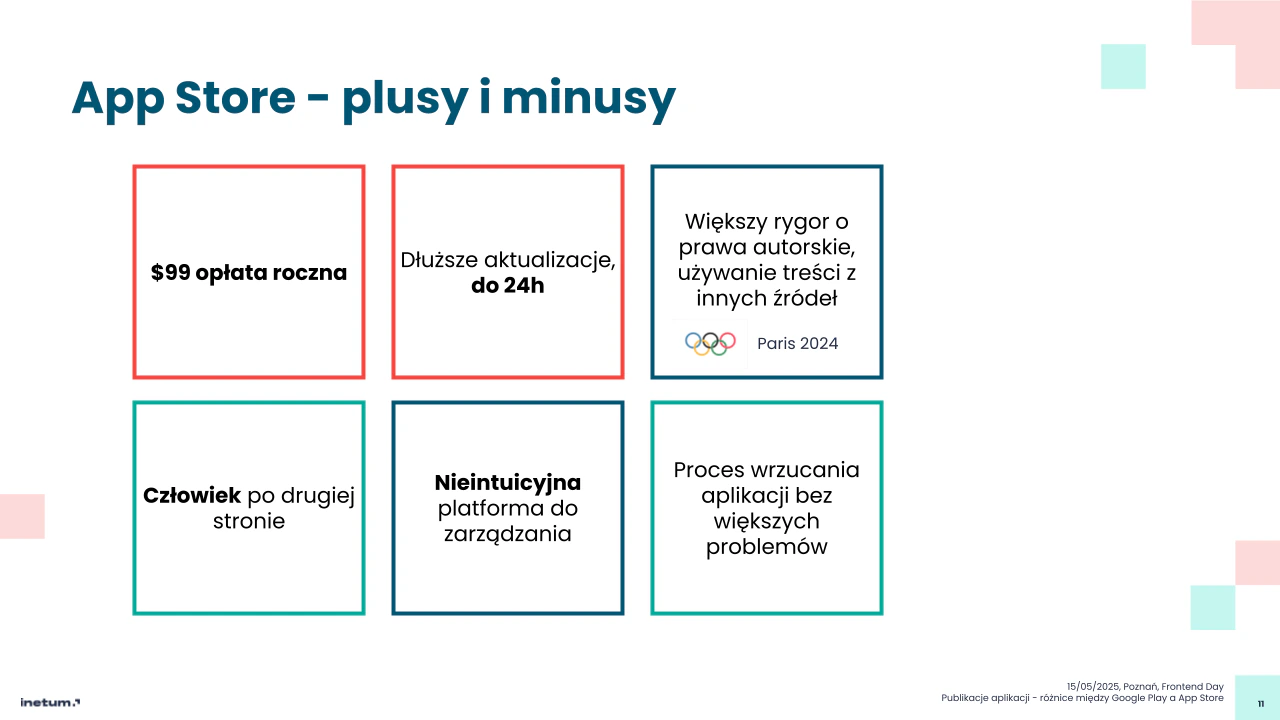
{Slides from the talk, in Polish}
{PWA vs native app}
A website is an open door. A mobile app waits at a closed one.
A native app gives you more on the device, and the stores decide when it goes out. Plan about a week before a new app is out in the world.
{Website / PWA}
- 01Live the moment you deploy
- 02No store and no review on the way
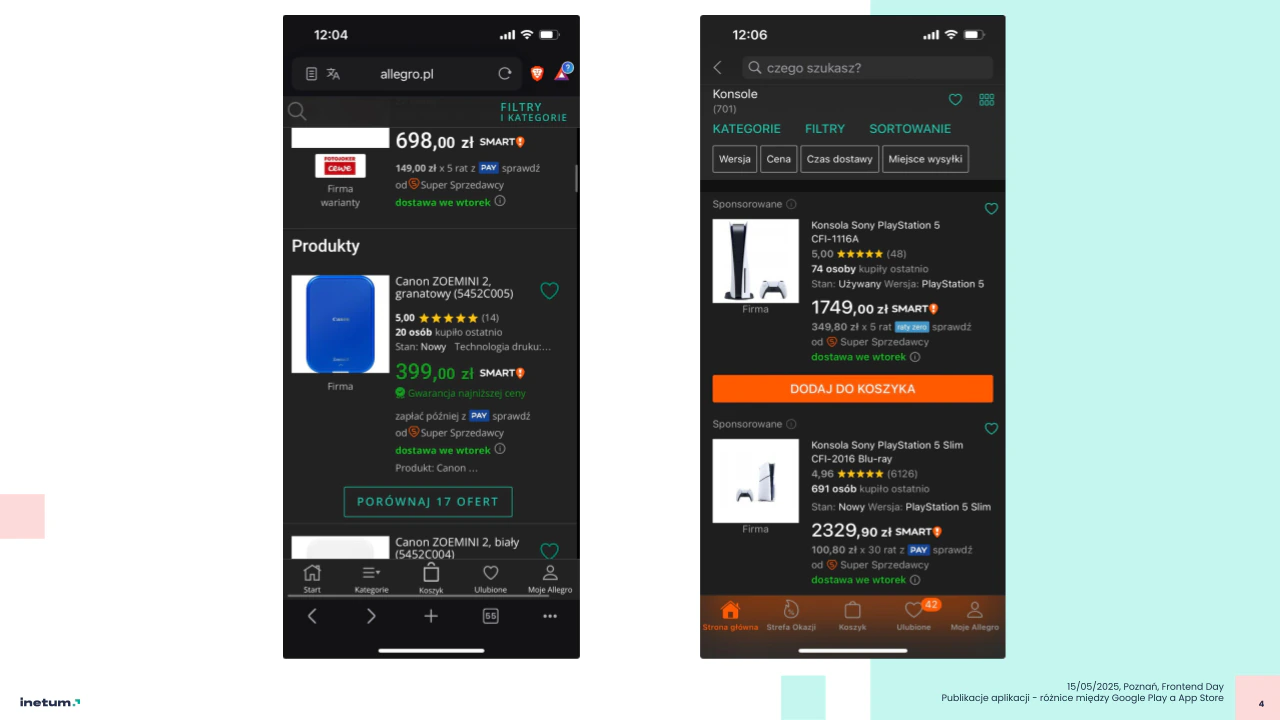
- 03Runs in the browser, like the Allegro site on a phone
{Native app}
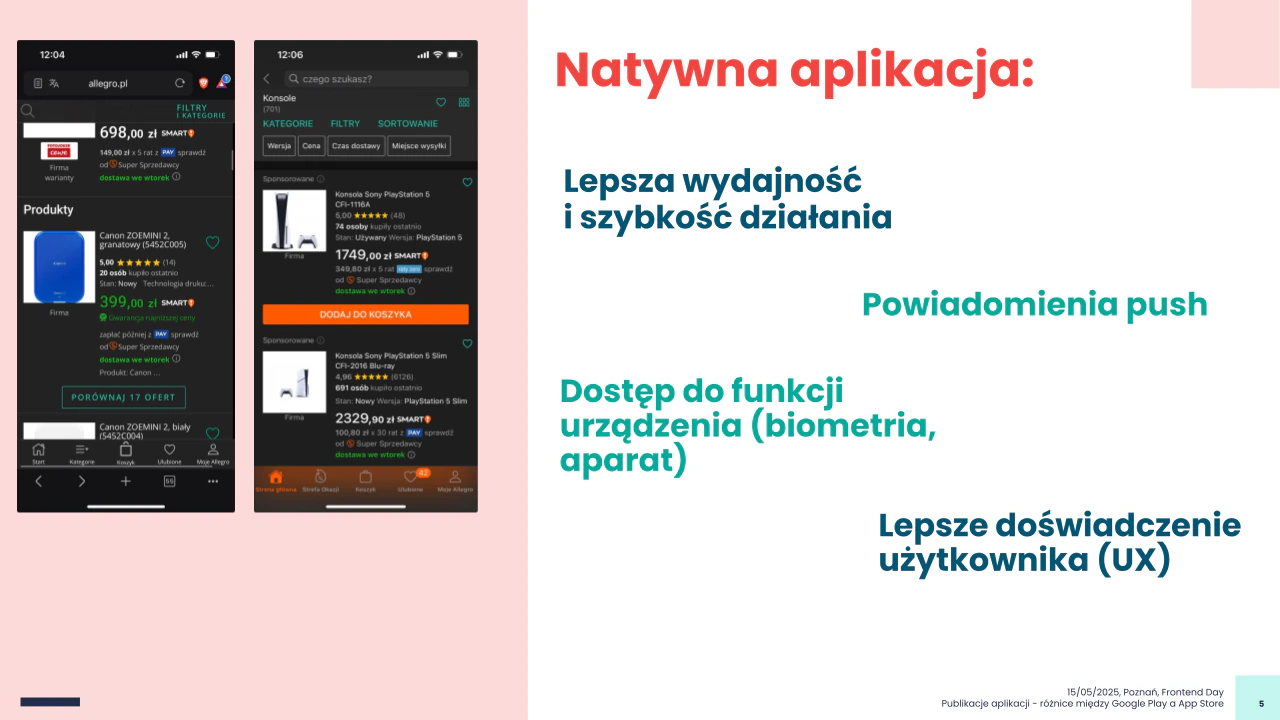
- 01Better performance and speed
- 02Push notifications
- 03Device features: biometrics, camera
- 04Better user experience
- 05Has to pass Google Play or the App Store first
{Publishing, step by step}
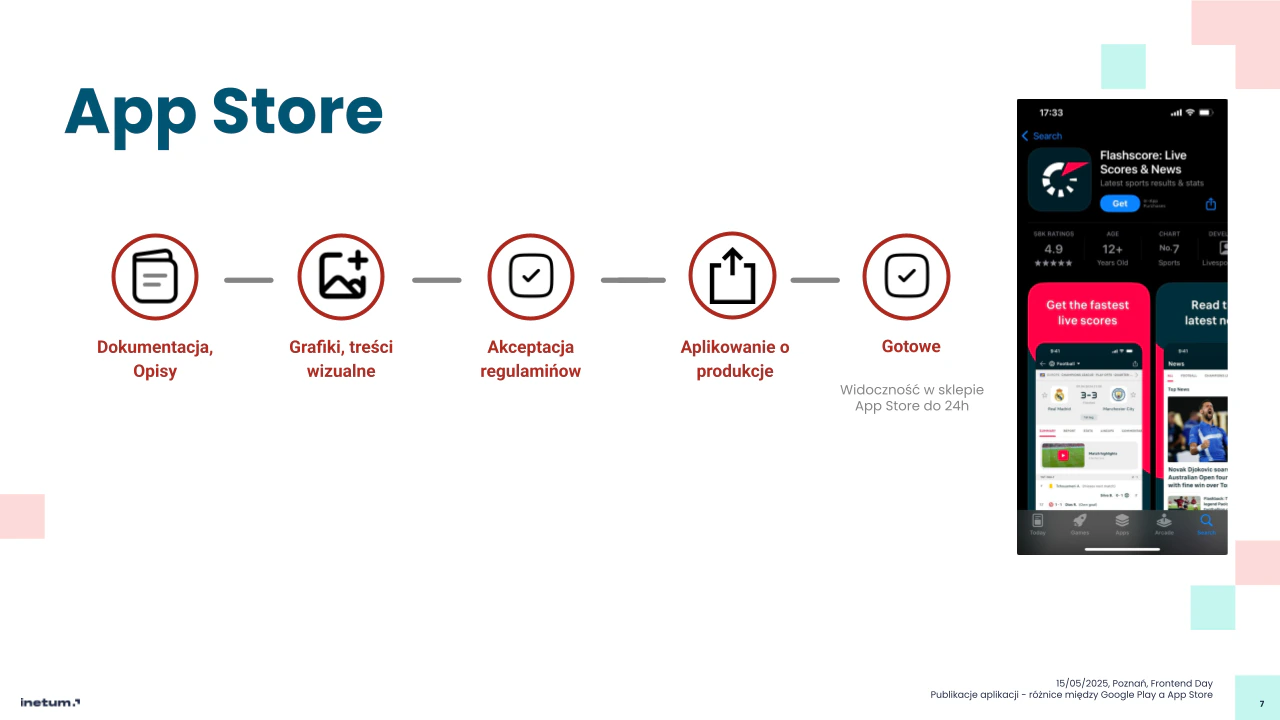
App Store
{5 steps · Visible in the store within 24 h}- 01 Documentation, descriptions
- 02 Graphics, visual content
- 03 Accept the terms
- 04 Apply for production
- 05 Done In the App Store within 24 h
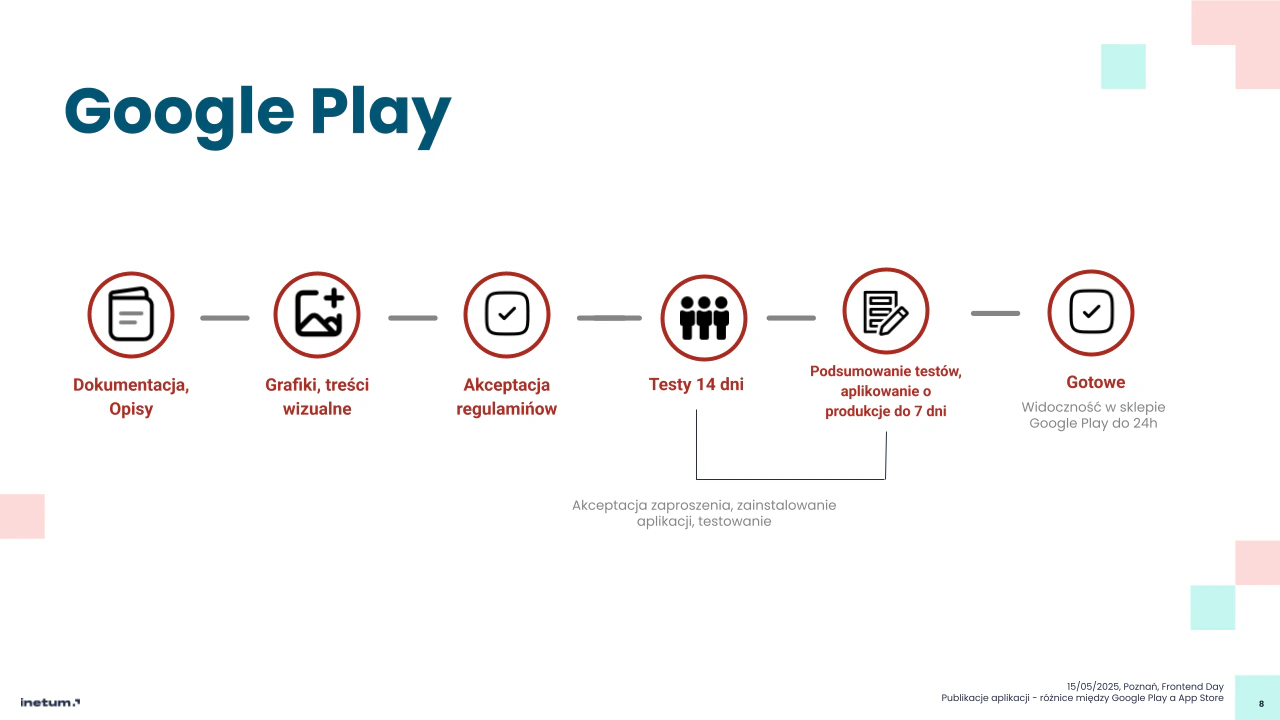
Google Play
{6 steps · Two extra steps before production}- 01 Documentation, descriptions
- 02 Graphics, visual content
- 03 Accept the terms
- 04 · wait 14 days of closed testing At least 20 testers accept the invitation, install the app and test it
- 05 · wait Test summary, apply for production Up to 7 days
- 06 Done In Google Play within 24 h
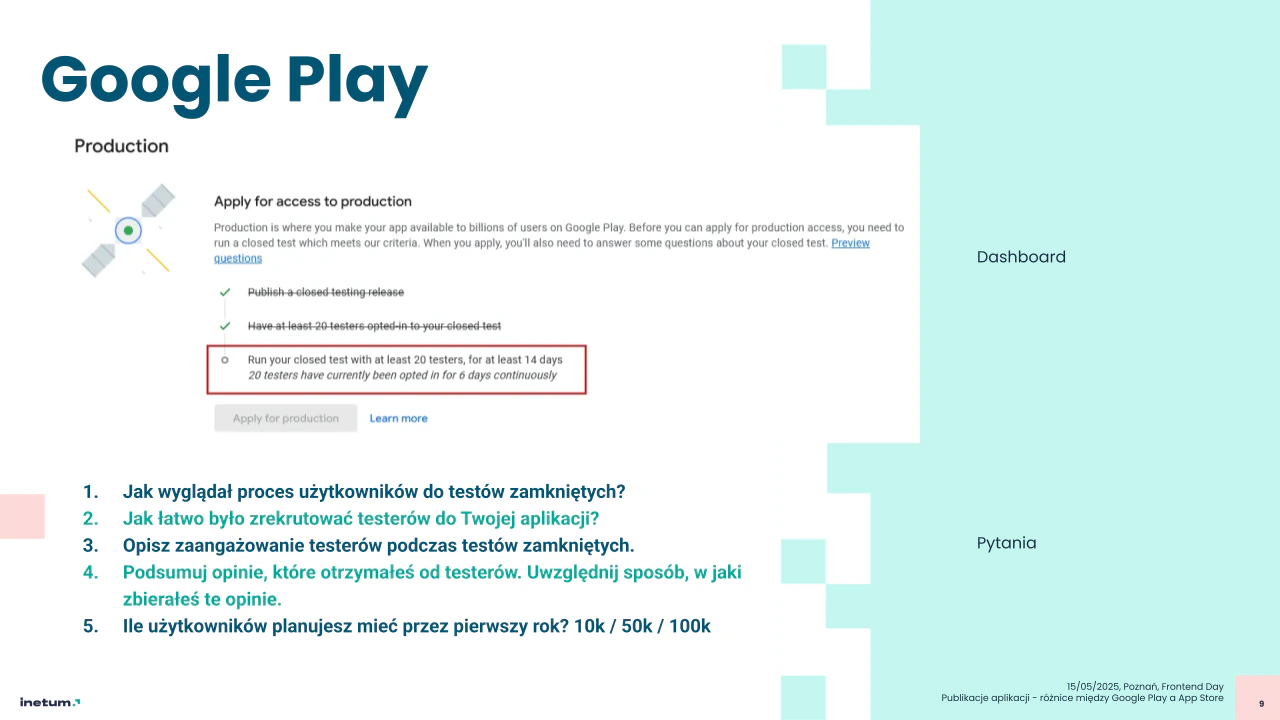
{Google Play: questions before production}
- 01What did the process of getting users for the closed test look like?
- 02How easy was it to recruit testers for your app?
- 03Describe how engaged the testers were during the closed test.
- 04Summarise the feedback you got from testers, and how you collected it.
- 05How many users do you plan to have in the first year? 10k / 50k / 100k
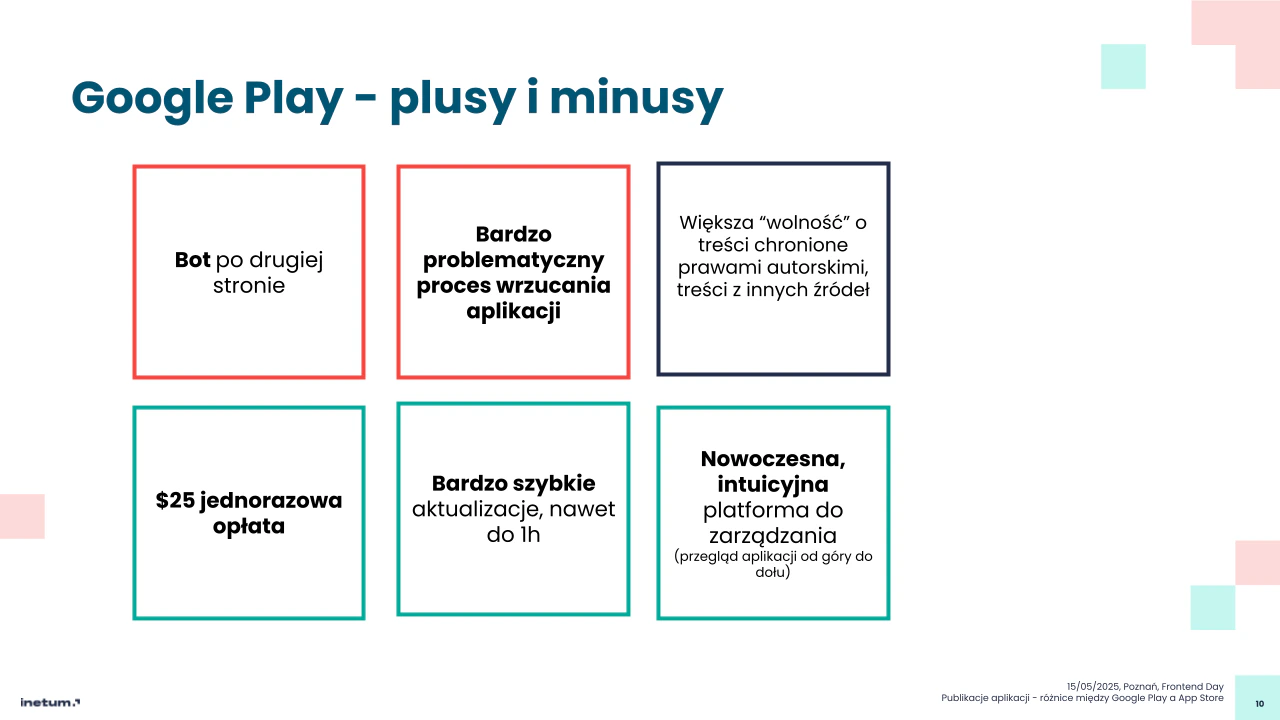
{Pros and cons}
Google Play
- Minus: A bot on the other side
- Minus: Very problematic process of uploading the app
- Neutral: More freedom with copyrighted content and content from other sources
- Plus: $25 one-time fee
- Plus: Very fast updates even within 1 h
- Plus: Modern console intuitive, the app reviewed from top to bottom
App Store
- Minus: $99 yearly fee
- Minus: Slower updates up to 24 h
- Neutral: Stricter on copyright and on using content from other sources
- Plus: A human on the other side
- Neutral: Unintuitive console for managing the app
- Plus: Smooth upload the process goes without major problems
{Internal survey}
Frontend na co dzień
“Frontend day to day”: a recurring one-question survey I ran for the company's frontend specialists. One question by email, one vote per person. When the vote closed, I posted the result with my own write-up of the pros and cons of each answer, and the discussion carried on in the comments.
- {Event}
- Internal survey
- {Date}
- 2023 – 2024
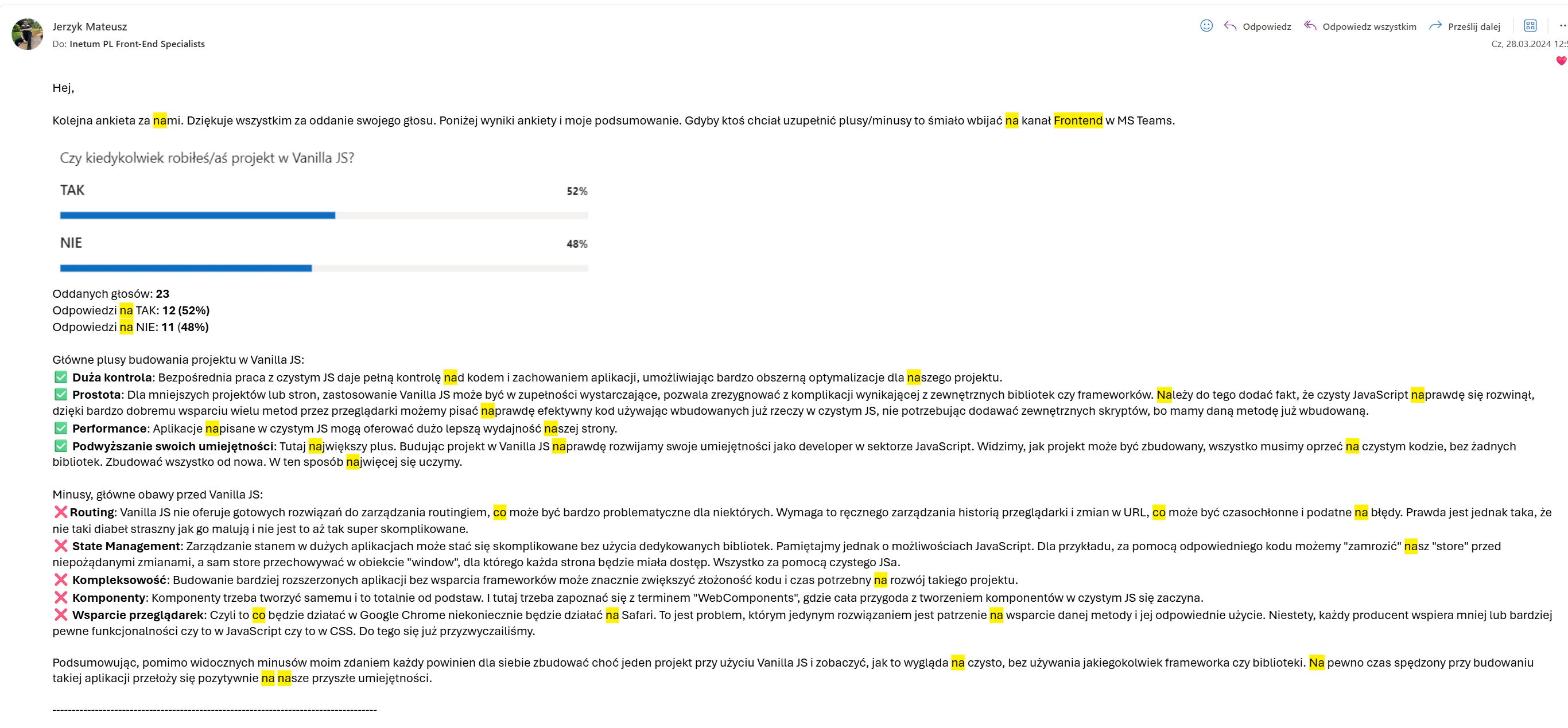
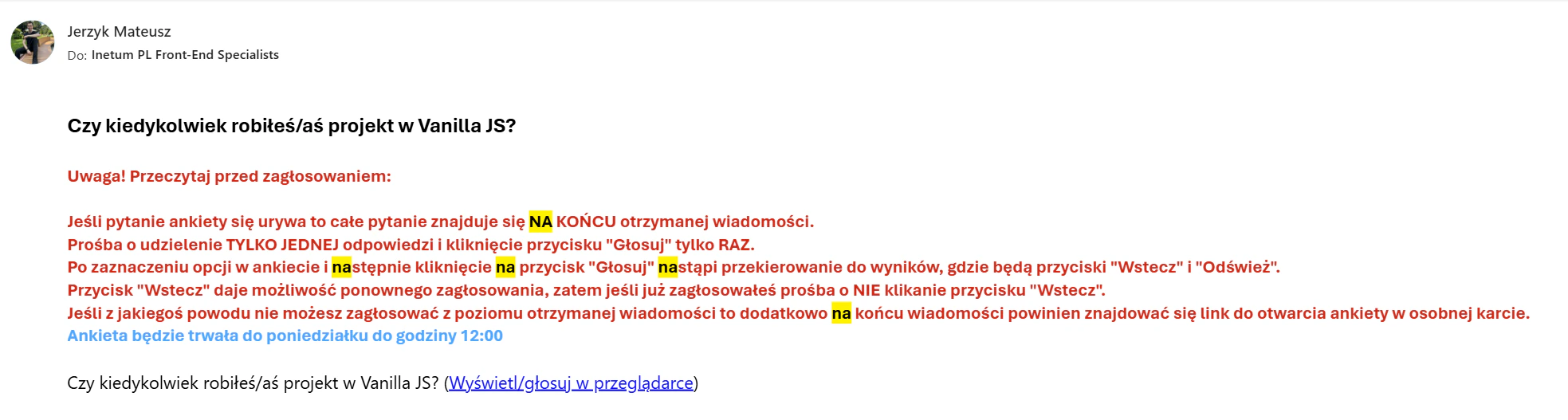
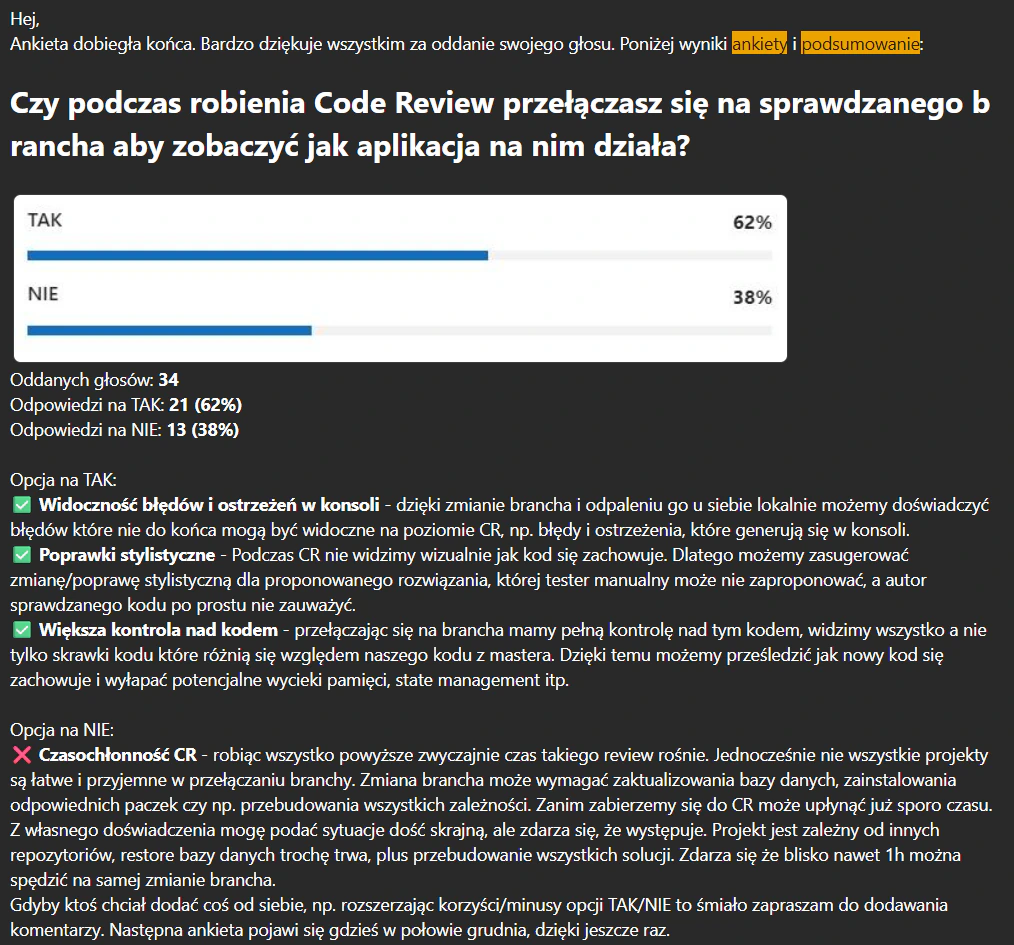
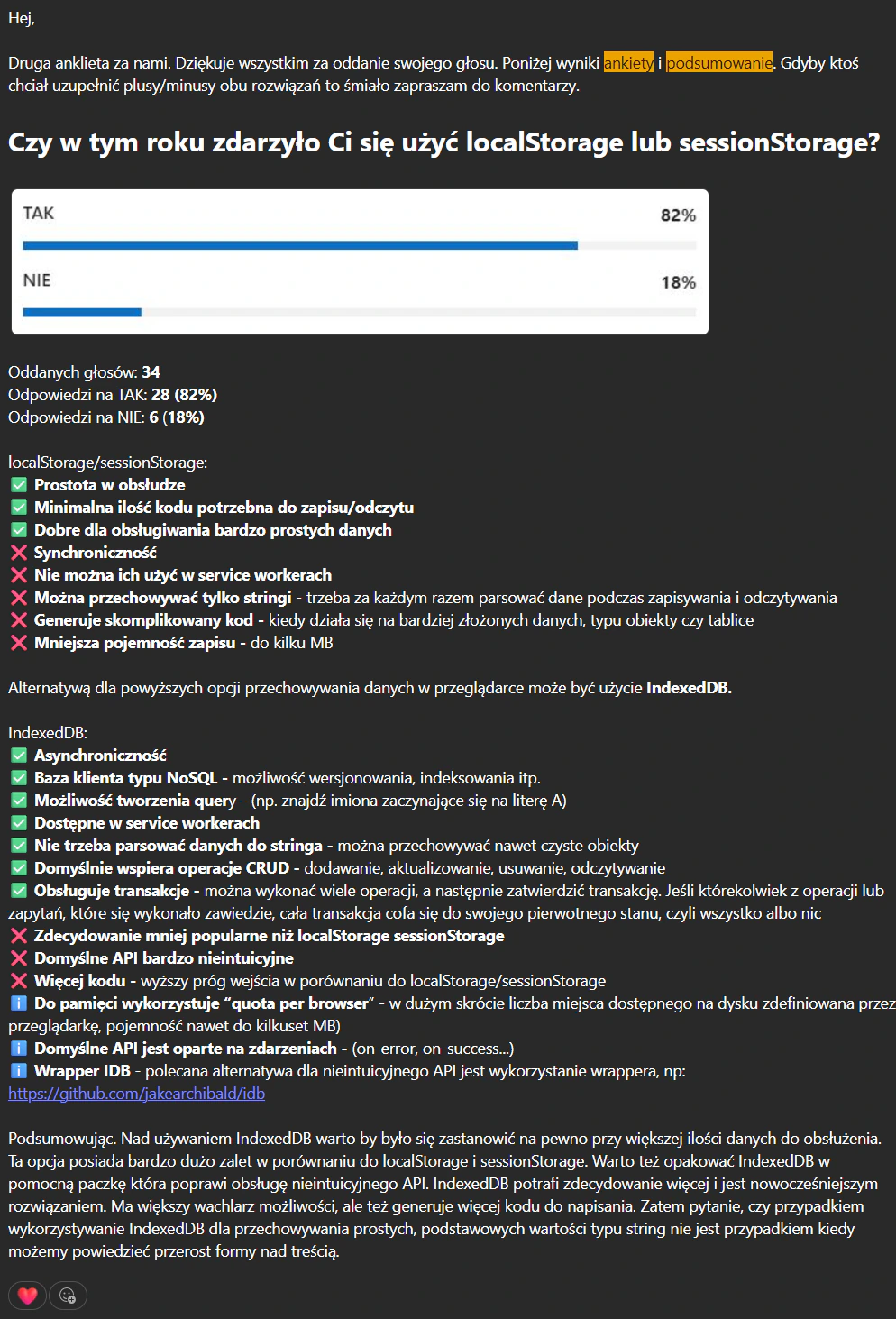
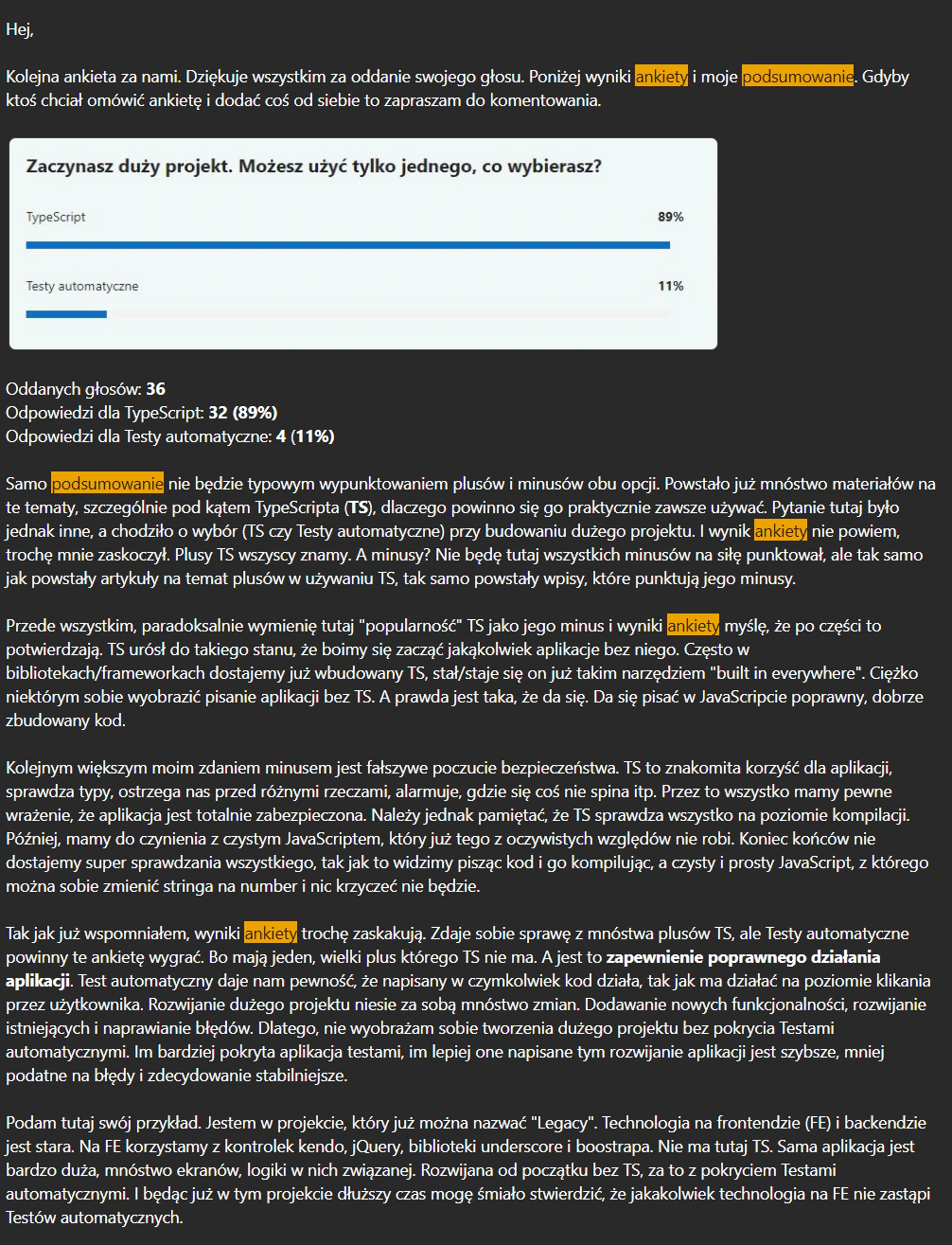
{The invitation and four result posts, in Polish}
{One round}
How it worked
{4 steps · repeated every few weeks}- 01 One question by email Sent to all frontend specialists, with the voting rules
- 02 · wait One vote each Open for a few days
- 03 Result and my write-up Pros and cons of each answer, from practice
- 04 Discussion Comments and additions from the team
{Four of the questions}
During a code review, do you switch to the reviewed branch to see how the app works on it?
- Yes
- 62%
- No
- 38%
For: console errors and warnings become visible, style fixes are easier to suggest, more control over the code. Against: the review takes longer.
Did you use localStorage or sessionStorage this year?
- Yes
- 82%
- No
- 18%
The write-up compared both with IndexedDB: asynchronous, queryable, available in service workers, but with a far less friendly API.
You start a big project and can use only one. Which do you choose?
- TypeScript
- 89%
- Automated tests
- 11%
The result surprised me. I argued for tests: TypeScript checks the code at compile time, tests confirm the app does what it should.
Have you ever built a project in vanilla JS?
- Yes
- 52%
- No
- 48%
For: control, simplicity, performance, better skills. Against: routing, state, components and browser support are all on you.
{Internal series}
INsideJS
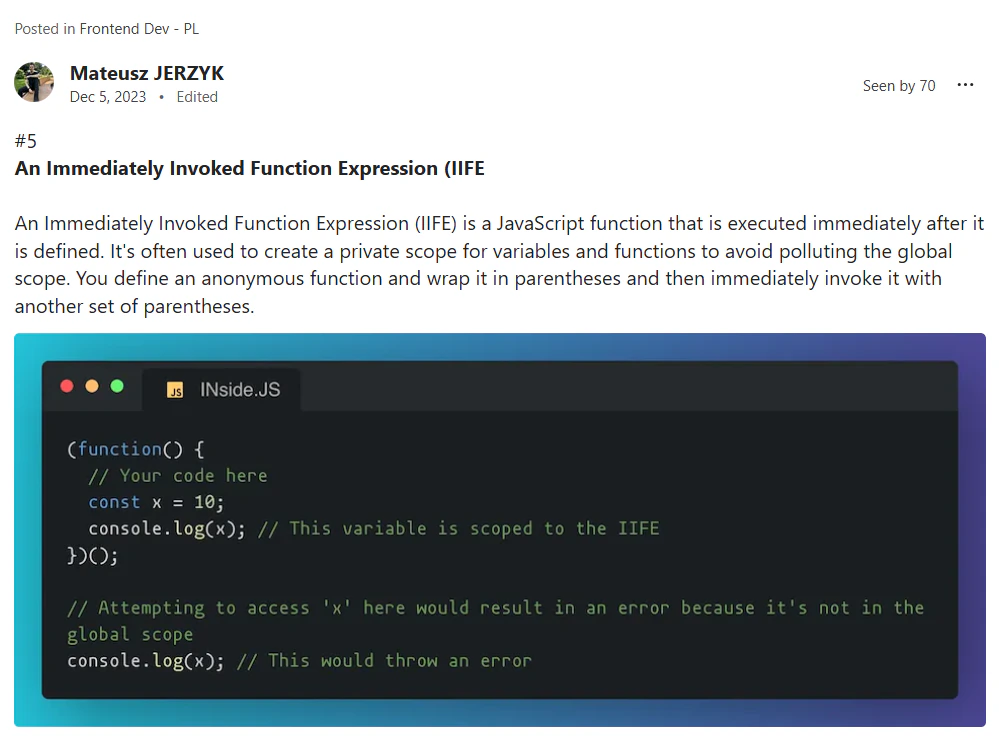
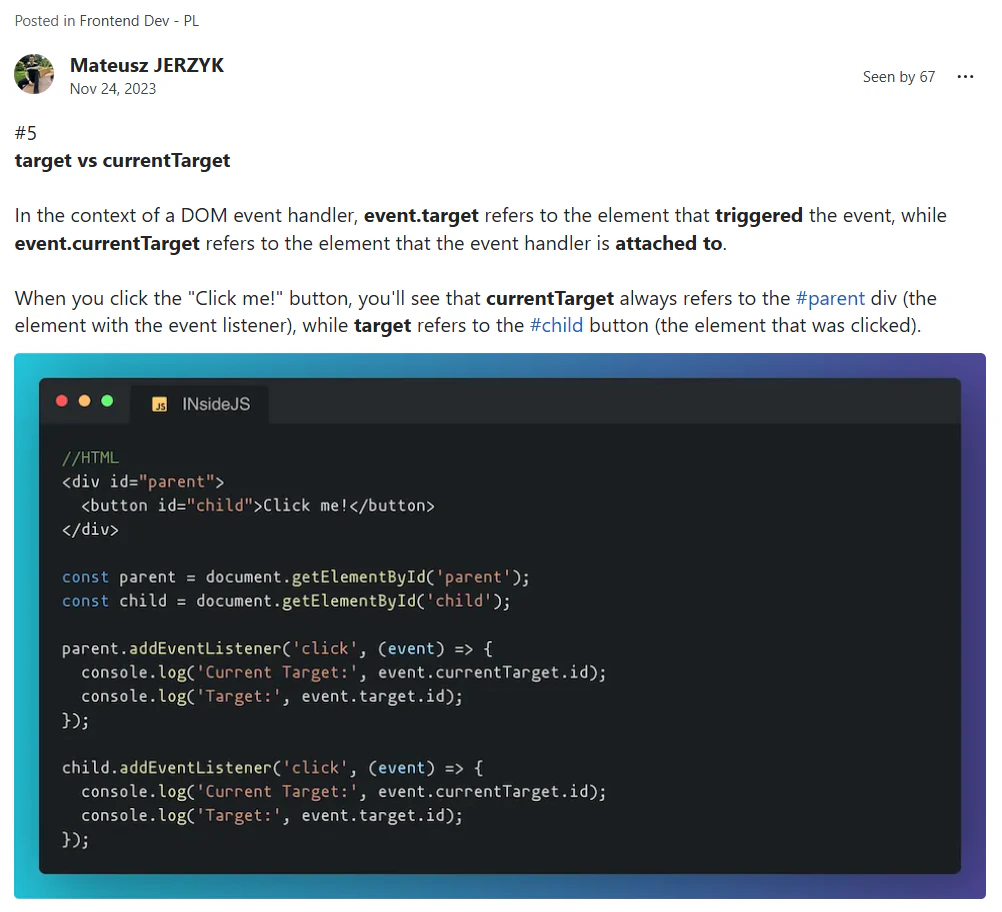
A weekly JavaScript tip I posted in the company's Frontend Dev community for a few months. One small fact per post, a short explanation and a code snippet in the same recognisable frame.
- Weekly
- one fact, one snippet, a minute to read
- 336
- people saw the most-read post
- {Event}
- Internal series
- {Date}
- Weekly, from November 2023
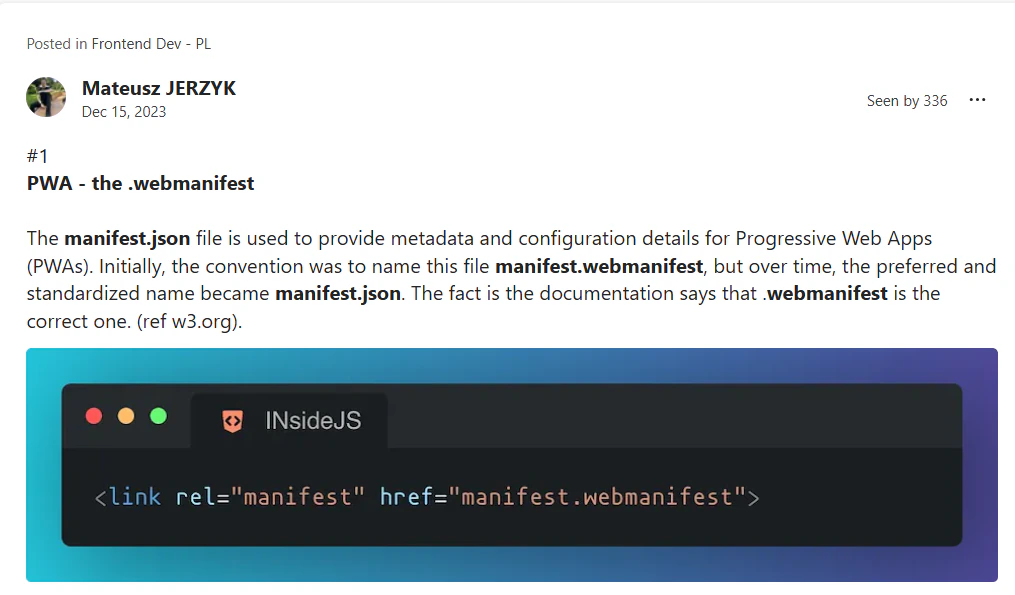
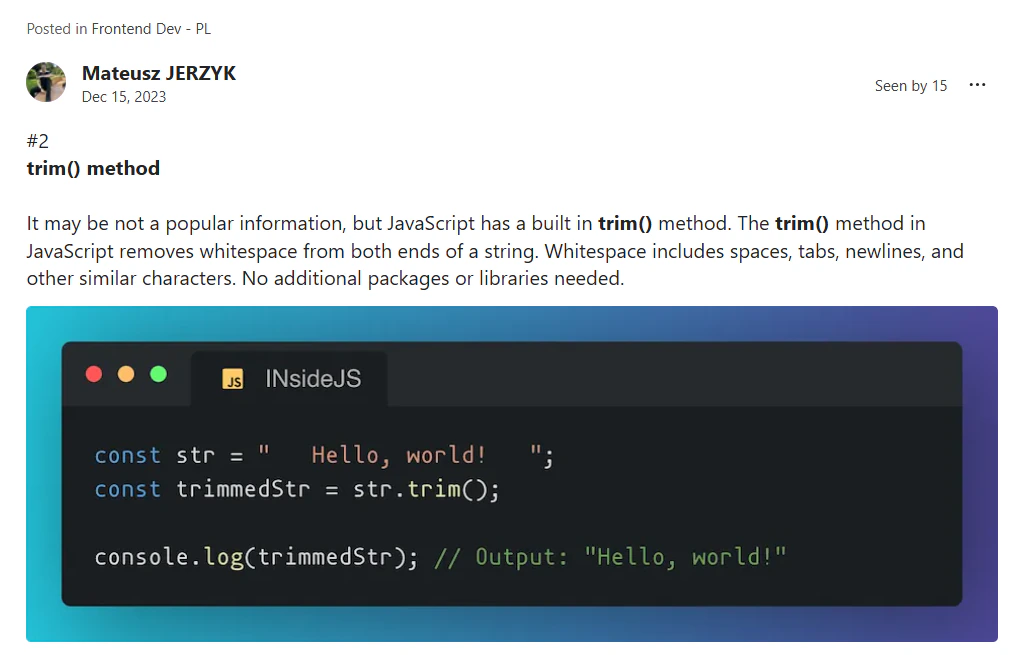
{Posts from the series}
{Examples from the series}
PWA: the .webmanifest
manifest.json became the common name, but the specification says manifest.webmanifest is the correct one.
trim()
JavaScript removes whitespace from both ends of a string on its own. No package needed.
IIFE
A function that runs as soon as it is defined, used to keep variables out of the global scope.
target vs currentTarget
event.target is the element that triggered the event. event.currentTarget is the one the handler is attached to.