Real Estate
An interactive platform for exploring apartments on the building view and floor plans, where the plan and the list filter each other.
- {Industry}
- Real estate
- {Type}
- Interactive web application
- {Stack}
- ReactJS, SVG, WordPress
- {Design}
- Implemented from Figma
- {Year}
- [YEAR]
- {Shown on}
- Apollo Residence
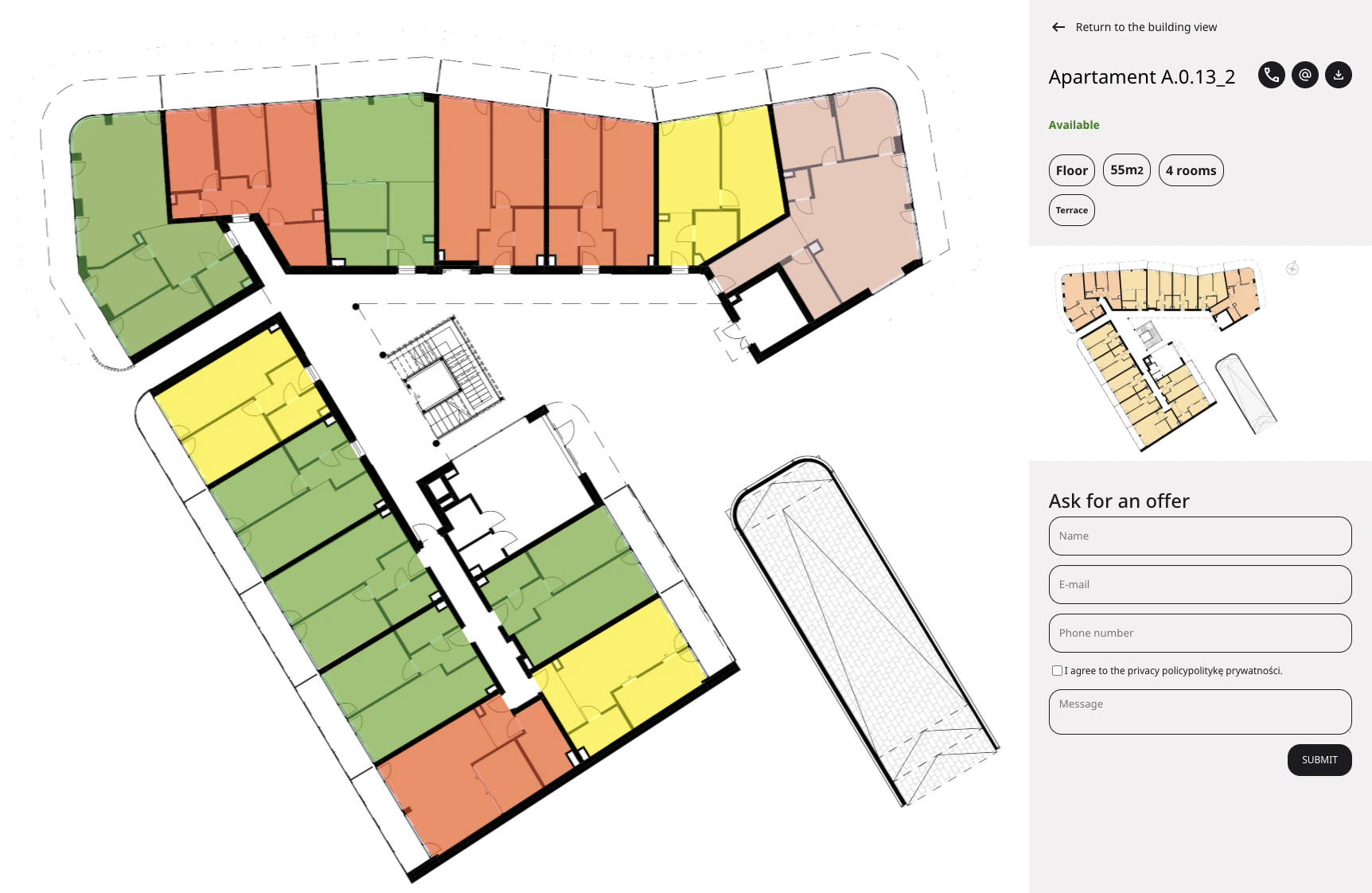
{Overview}
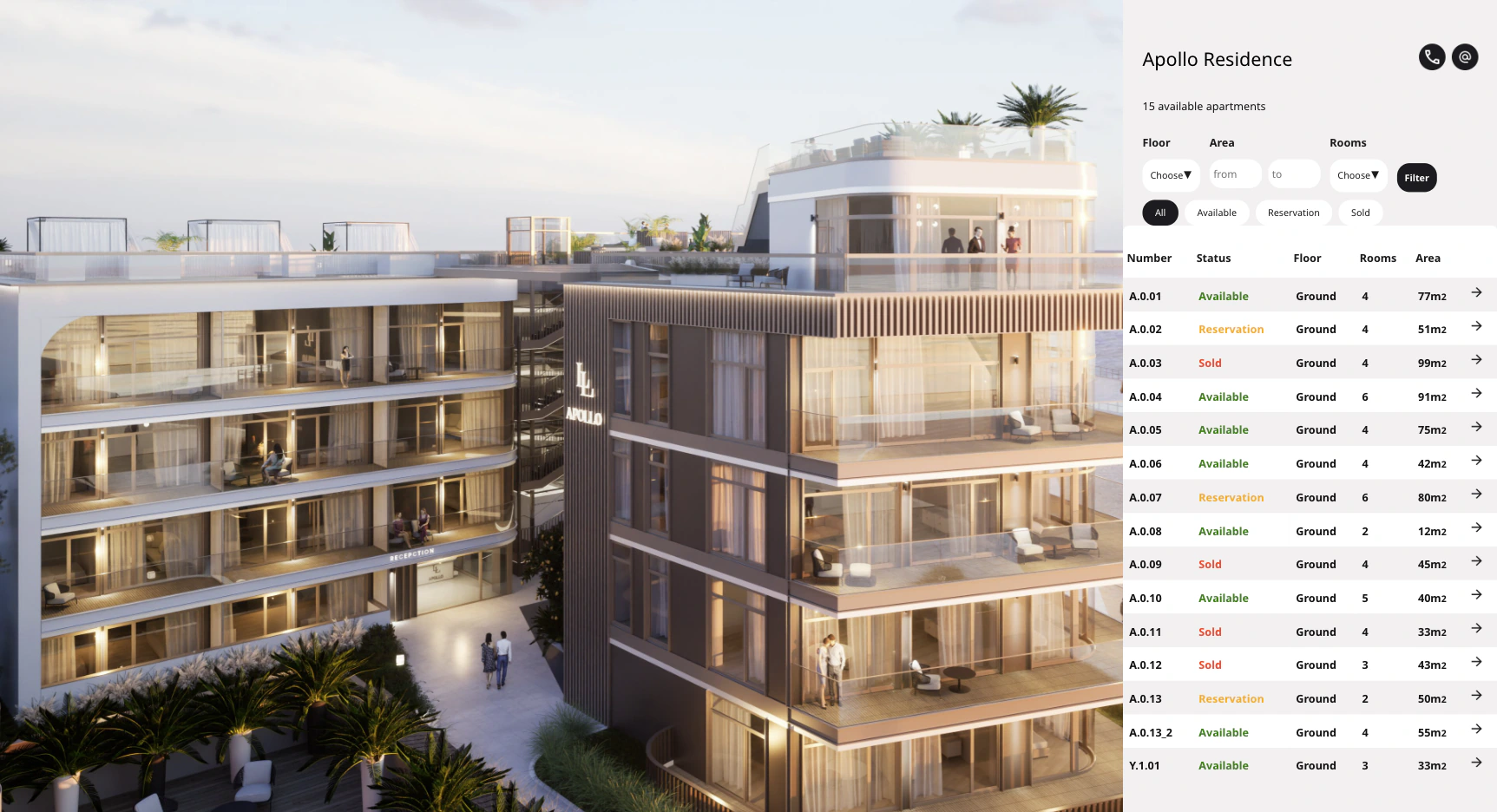
Choose an apartment by looking at the building
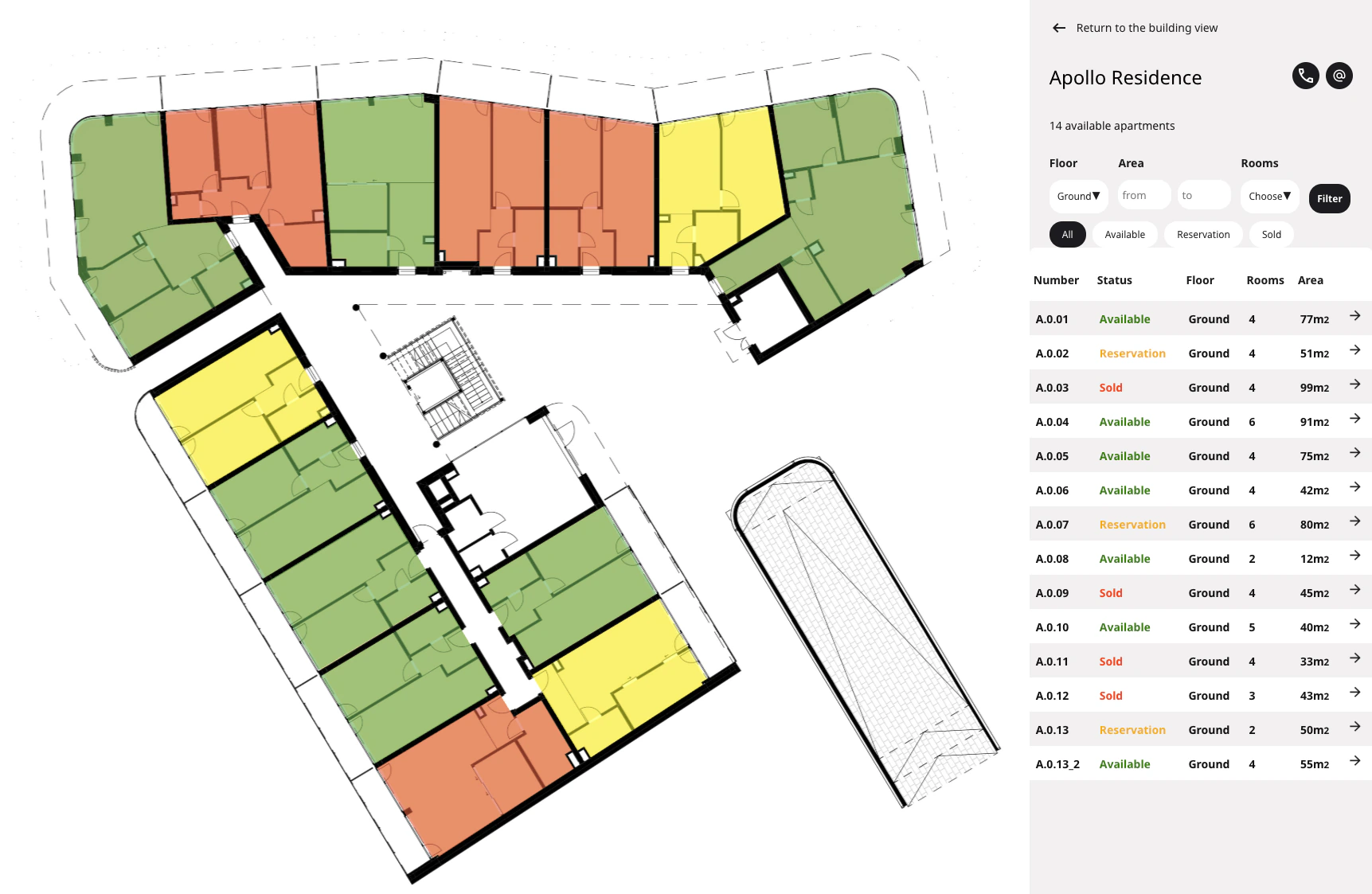
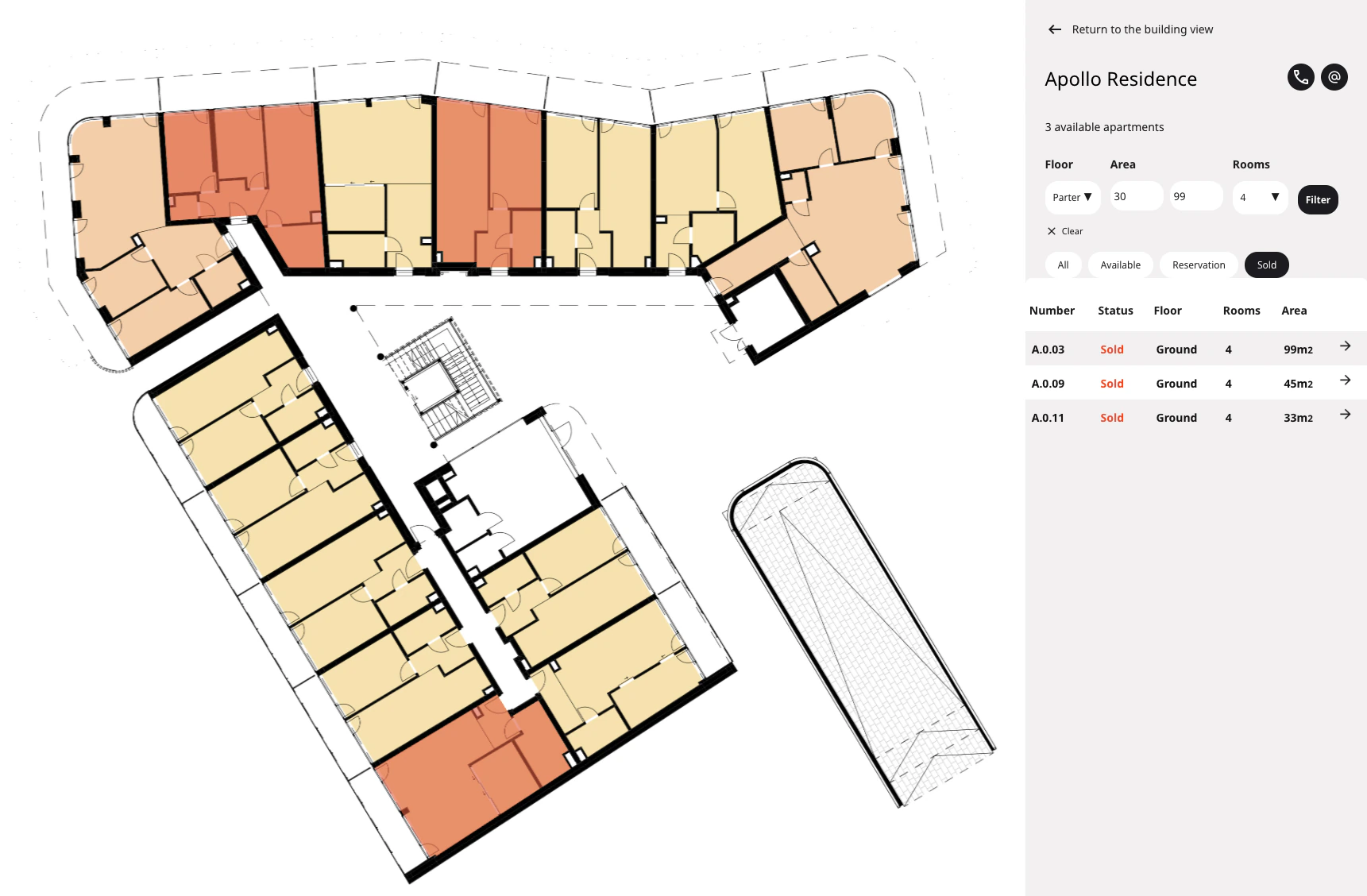
Buyers start from the building view, move to a floor plan and open a single apartment. They can filter by status, floor, area and number of rooms, or click the SVG flat shapes directly on the plan.
{What I built}
- The user interface in ReactJS, following detailed Figma designs
- Handling of SVG objects for interactions on the building and floor layouts
- A "two-way" search and filter system with real-time updates
- A customised WordPress template for managing apartment listings and details
{Highlight: Two-way filtering}
The plan and the list stay in sync
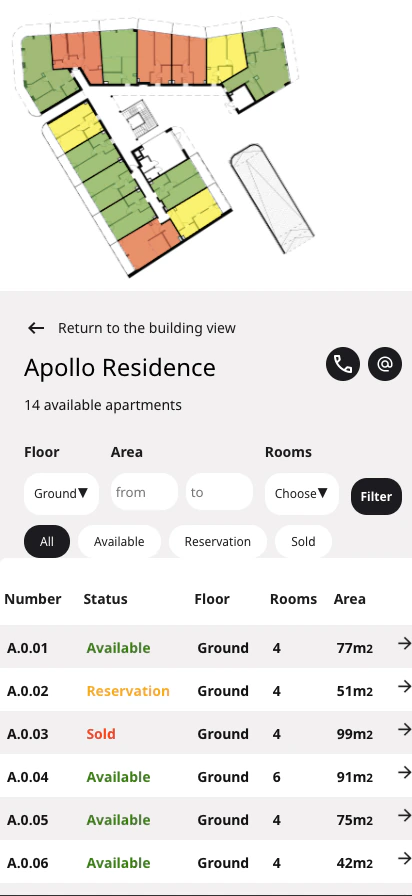
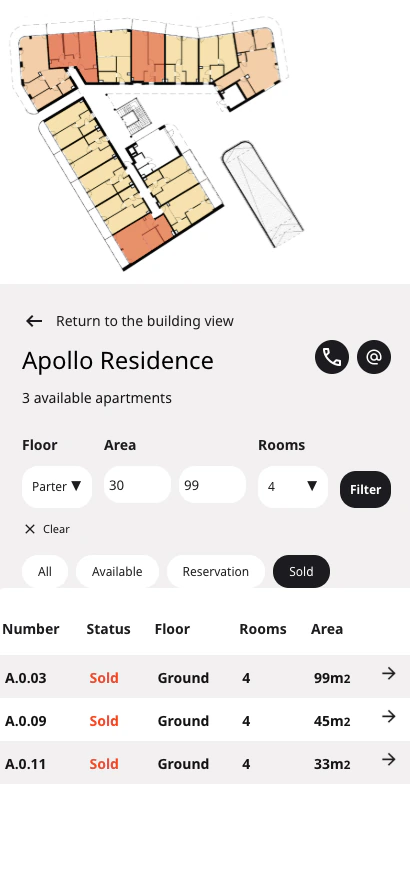
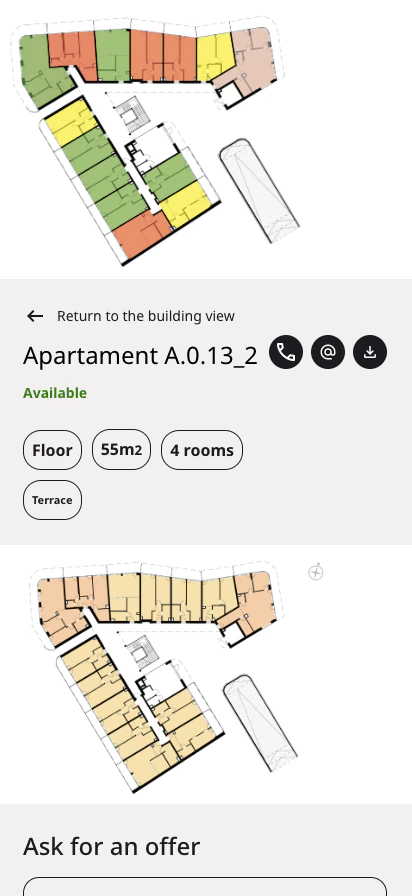
Changing a filter recolours the flats on the plan and updates the list at the same time. Each flat is an SVG shape coloured by its status: green for available, yellow for reserved and red for sold.
- WordPress Holds the general and detailed information for each apartment.
- React state Status, floor, area and room filters, updated in real time.
- SVG plan + list Both show the same result, and both lead to the apartment.
{Mobile view}
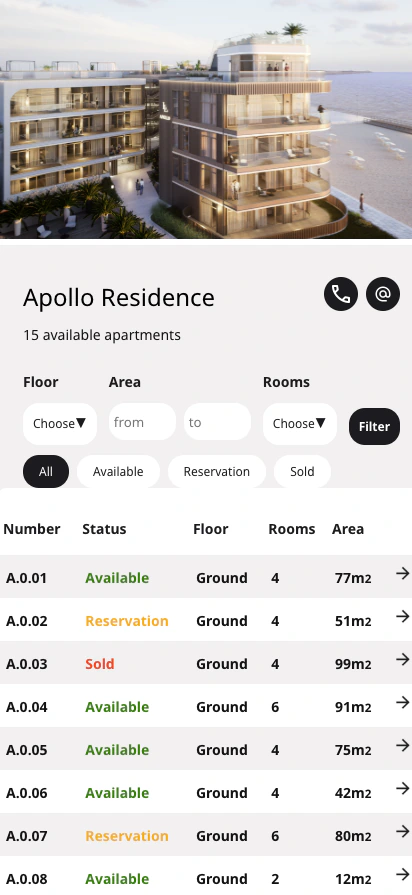
The plan moves above the filters on a phone
{Takeaways}
[The hardest part of the project and what you learned from it, for example preparing the SVG files, or keeping the plan and list in sync.]